
Blog · 18 November 2026 · 6 min read
How to check an AI research report in 10 minutes
AI research assistants can now write long, well-structured reports in minutes. They read faster than any person, but they can still make mistakes: a number from the wrong year, a citation that does not say what the sentence claims, or a confident conclusion built on a single weak source. You do not need to re-do the research to catch these problems. This checklist takes about ten minutes and works for any AI-generated report, whichever tool wrote it.
1. Open three citations at random
Pick three in-text citations, ideally from the parts of the report you care most about, and open them. For each one, ask a single question: does the source actually say what the sentence says? A citation that leads to a real page is not enough; the page has to support the specific claim. If two of three fail, treat the whole report as a draft rather than a finding.
2. Spot-check the numbers
Numbers are where reports most often go wrong, because a figure can be correct and still be misplaced. Choose the three or four numbers that matter most for your decision and find each one in its cited source. Check that the value, the unit (millions or billions, percent or percentage points) and the year all match. A report that says "unemployment fell to 4%" when the source says "4% in 2019" has not lied, but it may have misled you.
3. Look at who the sources are
Scroll to the source list and sort it in your head into three groups: primary sources (official statistics, laws, court records, peer-reviewed studies, company filings), serious secondary sources (established newspapers, research institutes) and everything else. A strong report leans on the first two groups. If most key claims rest on blogs, press releases or content farms, the report is only as good as they are.
4. Find the claims that rest on one source
Important conclusions should be supported by more than one independent source. Look at the two or three central claims of the report and count how many different sources stand behind each. One source is not automatically wrong, but it is a reason to read that source yourself.
5. Check dates and freshness
For fast-moving topics, such as prices, regulation, technology or ongoing conflicts, a two-year-old source can be badly out of date. Check the publication dates of the sources behind the most time-sensitive claims, and note whether the report tells you when its data is from.
6. Read the "open questions" section, or notice that there is none
Real research almost always ends with things the evidence cannot settle. A good report says so plainly: where sources disagree, where data is missing, where the answer depends on assumptions. A report that answers every part of a hard question with full confidence is a warning sign, not a strength.
7. Ask the counter-question
Finally, write down the strongest objection to the report's main conclusion and search for it yourself for two minutes. If the report never mentions an obvious counter-argument that you find quickly, its picture is probably incomplete.
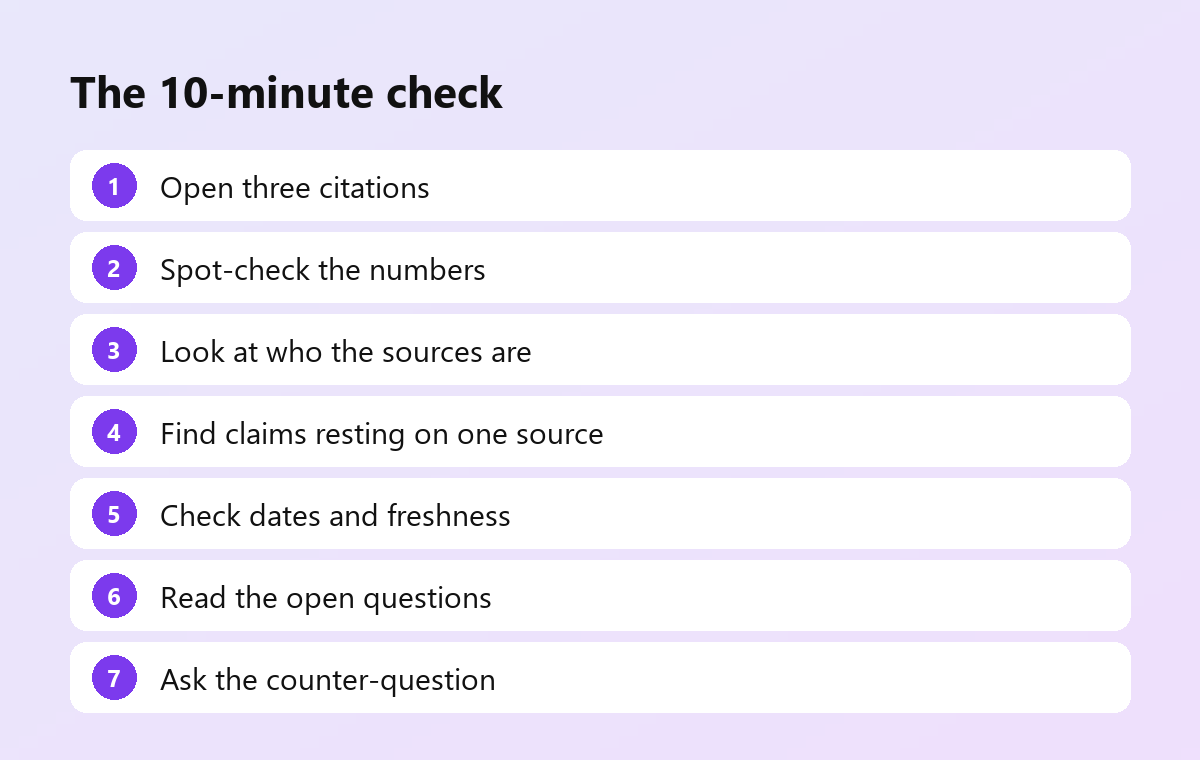
A short version you can keep
- Three citations: does the source say what the sentence says?
- Three numbers: same value, unit and year as in the source?
- Source mix: mostly primary and serious secondary sources?
- Key claims: supported by more than one independent source?
- Dates: recent enough for the topic?
- Open questions: stated honestly?
- Counter-argument: addressed?
How FindDepth helps with this
We built FindDepth so that most of this checklist is easier to run. Every key statement in a FindDepth report links to the source that supports it, so step 1 takes seconds. Before a report is delivered, every figure is looked up in the text of the source it cites, and numbers that cannot be found are left out. Reports end with the open questions the sources could not settle, and you can watch which sites are being read while the research runs. The result: the checks above take minutes instead of hours.
See a full report and how it compares with two other AI research assistants on the same question: finddepth.com/compare.